
IR615S WDS配置
-

-
wh 这家伙很懒,还没有设置简介
2 人点赞了该文章 · 5581 浏览
针对IR600S设备WIFI功能无线桥接应用配置文档
准备两台IR615s路由器,一台IR615s做AP设备,另一台IR615S做WDS桥接设备,进入IR615S进行配置。
1.首先,配置AP设备:
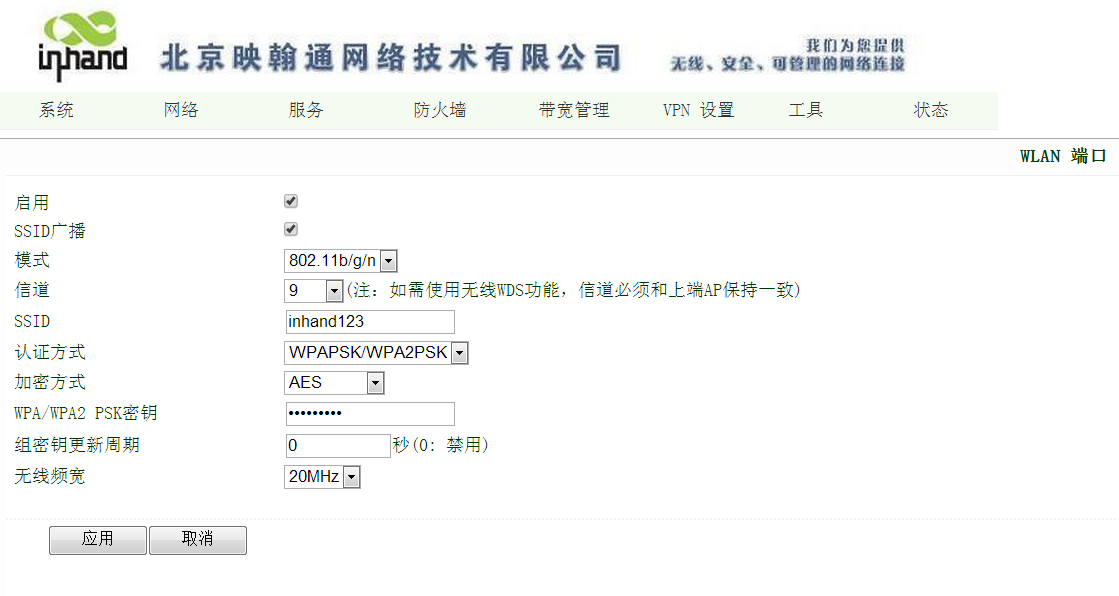
进入IR615S“网络”菜单栏,WLAN模式默认即为AP模式,在WLAN端口进行配置,选定一个信道(建议选择比较空闲的信道),定义SSID名称,配置加密。如图:
 2. 然后,配置WDS桥接设备:
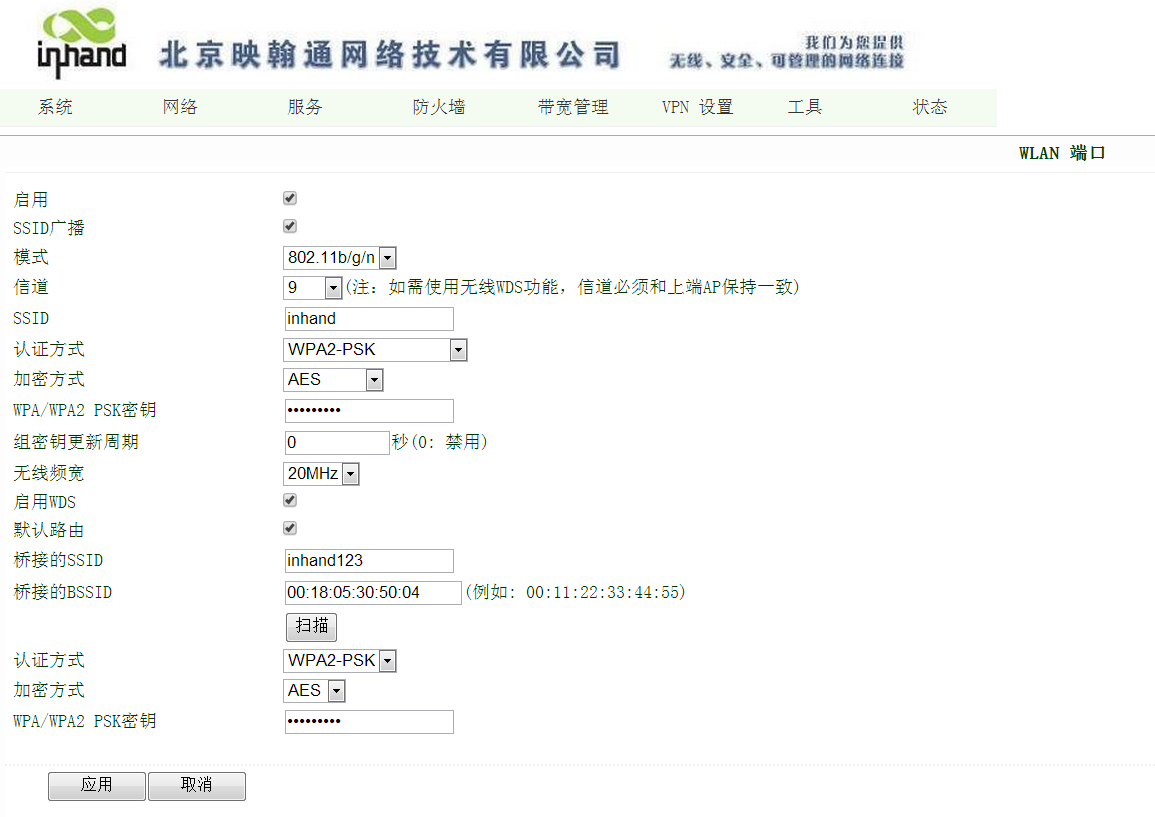
进入IR615S“网络”菜单栏,WLAN模式也选择默认的AP模式,在WLAN端口进行配置,配置与AP端一致的信道,更改与AP端不同的SSID,配置加密,勾选启用WDS后,出现WDS配置选项,如下图:
2. 然后,配置WDS桥接设备:
进入IR615S“网络”菜单栏,WLAN模式也选择默认的AP模式,在WLAN端口进行配置,配置与AP端一致的信道,更改与AP端不同的SSID,配置加密,勾选启用WDS后,出现WDS配置选项,如下图:
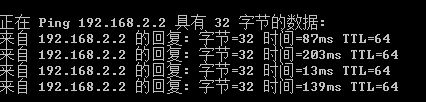
 桥接成功后,可以通过WDS设备下端主机访问AP设备下端主机了,也可以通过AP设备下端主机访问WDS设备下端主机,都在同一个网段。
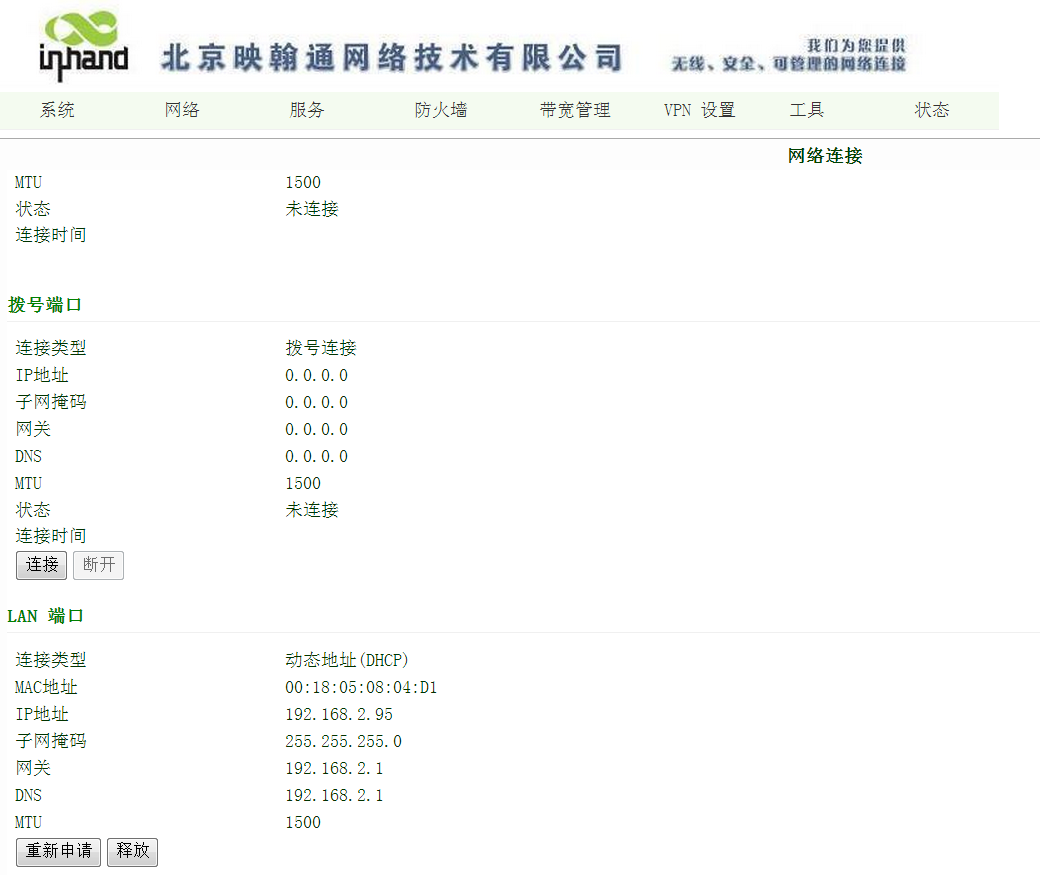
 此时,WDS设备会获取AP设备分配的一个IP地址,可以通过这个IP地址登陆WDS设备,也可以通过www.router.com登陆。桥接设备LAN口地址会消失,DHCP也会自动关闭,如下图:




全部 0条评论