IR900路由器 Email 告警功能

Sol.Sun
Sol.Sun This guy is lazy,Introduction has not been set

0 People liked this article · 4204 views

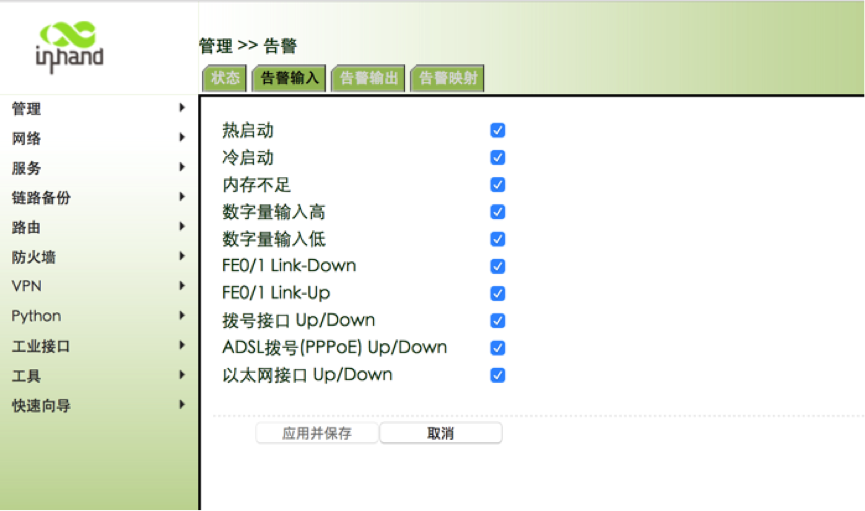
1. Web 页面进入 管理-告警-告警输入,勾选希望接受到的告警的选项
IR900告警1.png
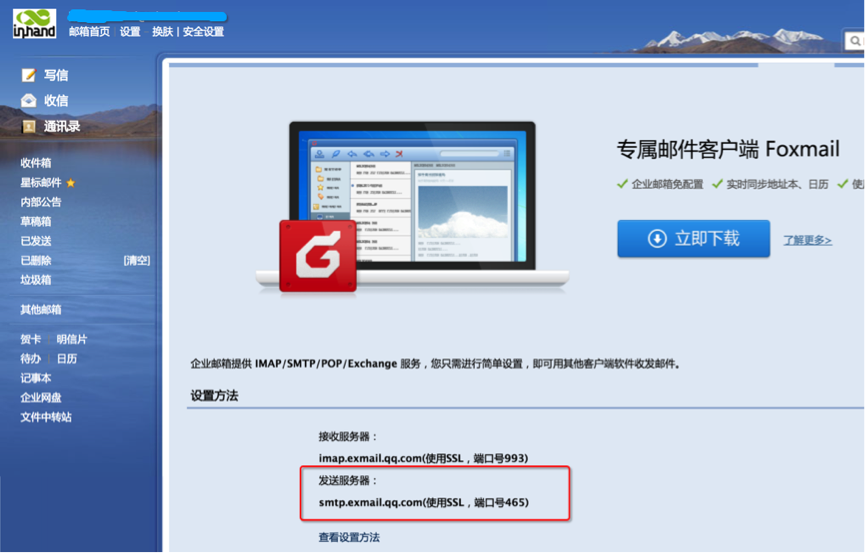
2. 查找发送邮件服务器的地址,以腾讯邮箱为例:
IR900告警2.png
3. 告警输出:邮件服务器地址、账号、密码等信息: 输入接收邮件的Email地址
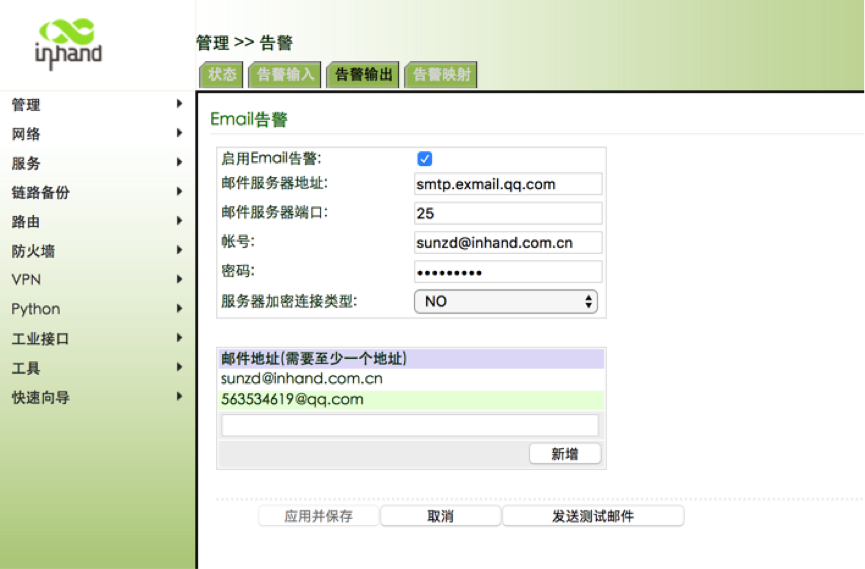
IR900告警3.png
 

Published on 2017-06-09 15:35

Disclaimers:

This document is written by Sol.Sun Original published on 技术社区 ,The copyright belongs to the author。

Log in,More exciting content waiting for you to find,Contribute wonderful answers,Participate in comment interaction

go Sign in! No accountgoregister

Recommended content

article 使用IR900抓取cellular口数据包
article IR915 建立双IPSEC VPN 功能测试文档
article IR900路由器做OpenVPN Server,Server&Client 一个型号搞定
article IR900虚拟IP映射
article IR900双网卡拨号流程图
article H3C MSV50 和IR900 IPSEC配置
article InConnect产品解决方案V1.0
article IoT 网关产品如何连接映翰设备云---DeviceManger
article 奥联与R900系列配置IPsecVPN 配置文档
article NAT Configure on IR900