IG网关产品如何实现链路备份

wsh18382059608
wsh18382059608 This guy is lazy,Introduction has not been set

0 People liked this article · 5314 views

设备支持三种联网方式:

有线连接、SIM卡连接、WiFi连接(产品类型需支持)。

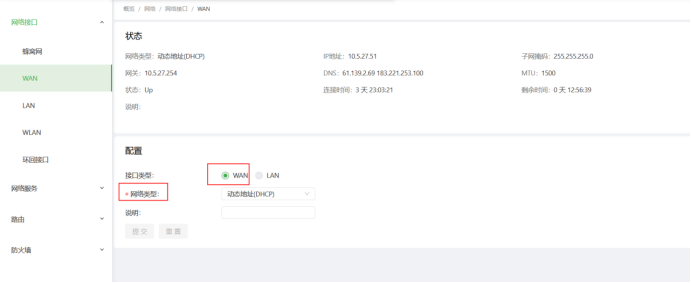
一:有线连接根据设备标注的提示连接WAN口,并设定WAN口的IP(DHCP获取居多);
57605d62bc3f725285a31b14bda29936.png

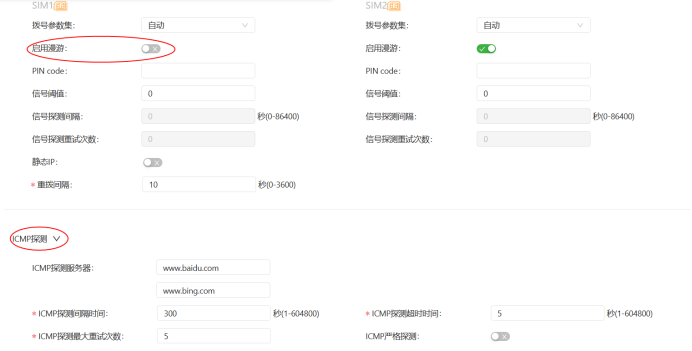
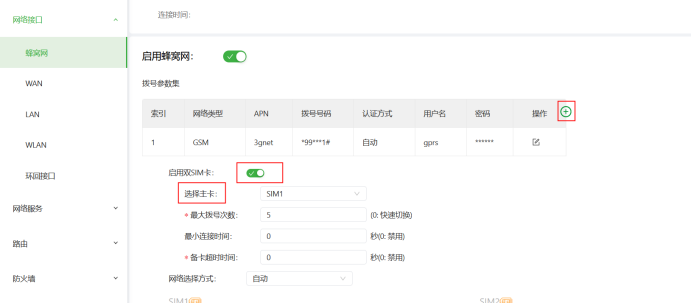
二:SIM卡界面选择启用数据连接,如使用专网卡等(根据特定的APN、用户验证方式)设定信息来确保正常连接至特定的网络;

(支持双SIM卡的设备)启用双SIM卡机制,设备检测到当前SIM卡故障无法通讯时即可自动切换至副卡。

同时可以启用ICMP链路侦测功能确保通讯信号的时效性。
d70f477126f1ad28e43959df031d9415.png8d20d31e5680fc6f0f7e3dac18eff724.png

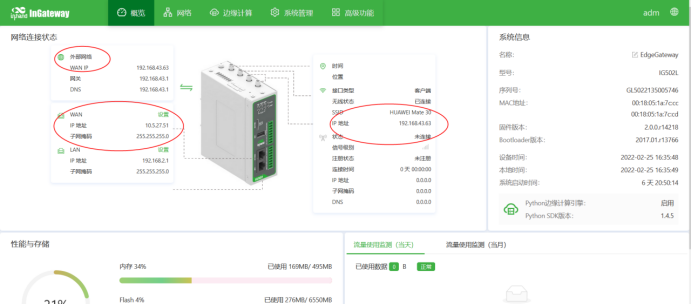
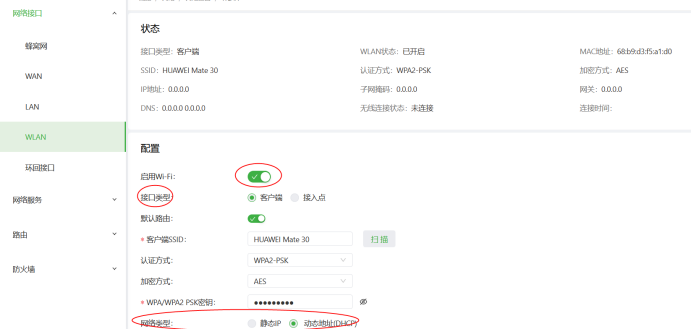
三:WiFi模式设定为STA后重启设备,设定并扫描需要连接的WiFi输入密码,应用连接。以上连接均可以在IG设备主页或IR设备网络连接的页面下查看到实时状态。
6d5e013470920449ec76ca9a49a4a6e1.png

四:设定SIM卡或网口、无线三者的链路备份,既可以通过SIM卡连接也可以通过网口连接也可以通过WiFi的方式接入网络。

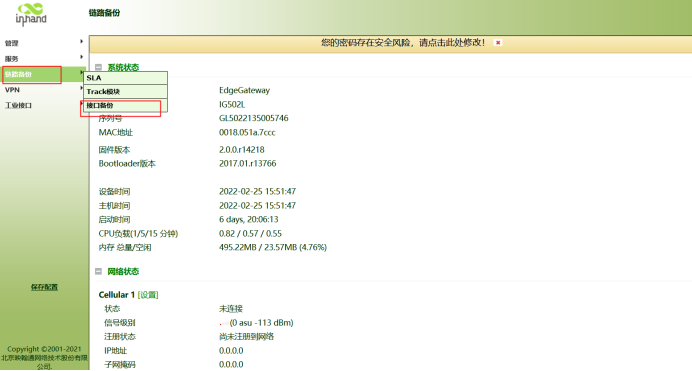
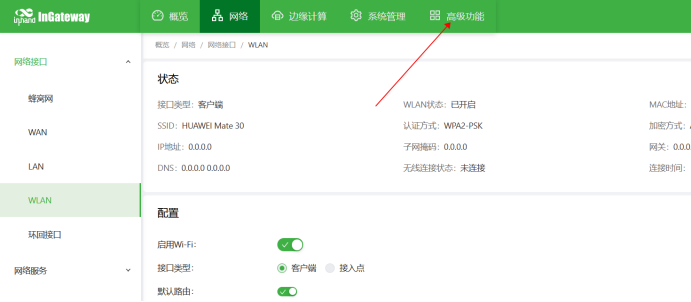
1.登录跳转进入高级功能设定模块:
137227841d991f2db07d4e32a6263595.png

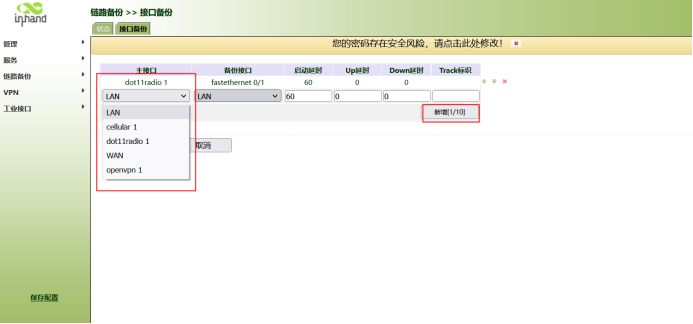
2、选择链路备份下的-接口备份模块。

f731e3a60325ff6f6b0c38f08ab775b5.png

3、选择主接口以及备份接口等数据参数;设定完成后添加即生效。(Dot11radio 1代表WLAN接口)
d696a12f8ce142fff8259aa9159c20b5.png

通过这样设定即可实现链路备份的基础功能设定:

5a76d49640a105cf1b03b755899fa64a.png

Published on 2022-02-28 14:10

Disclaimers:

This document is written by wsh18382059608 Original published on 技术社区 ,The copyright belongs to the author。

Log in,More exciting content waiting for you to find,Contribute wonderful answers,Participate in comment interaction

go Sign in! No accountgoregister